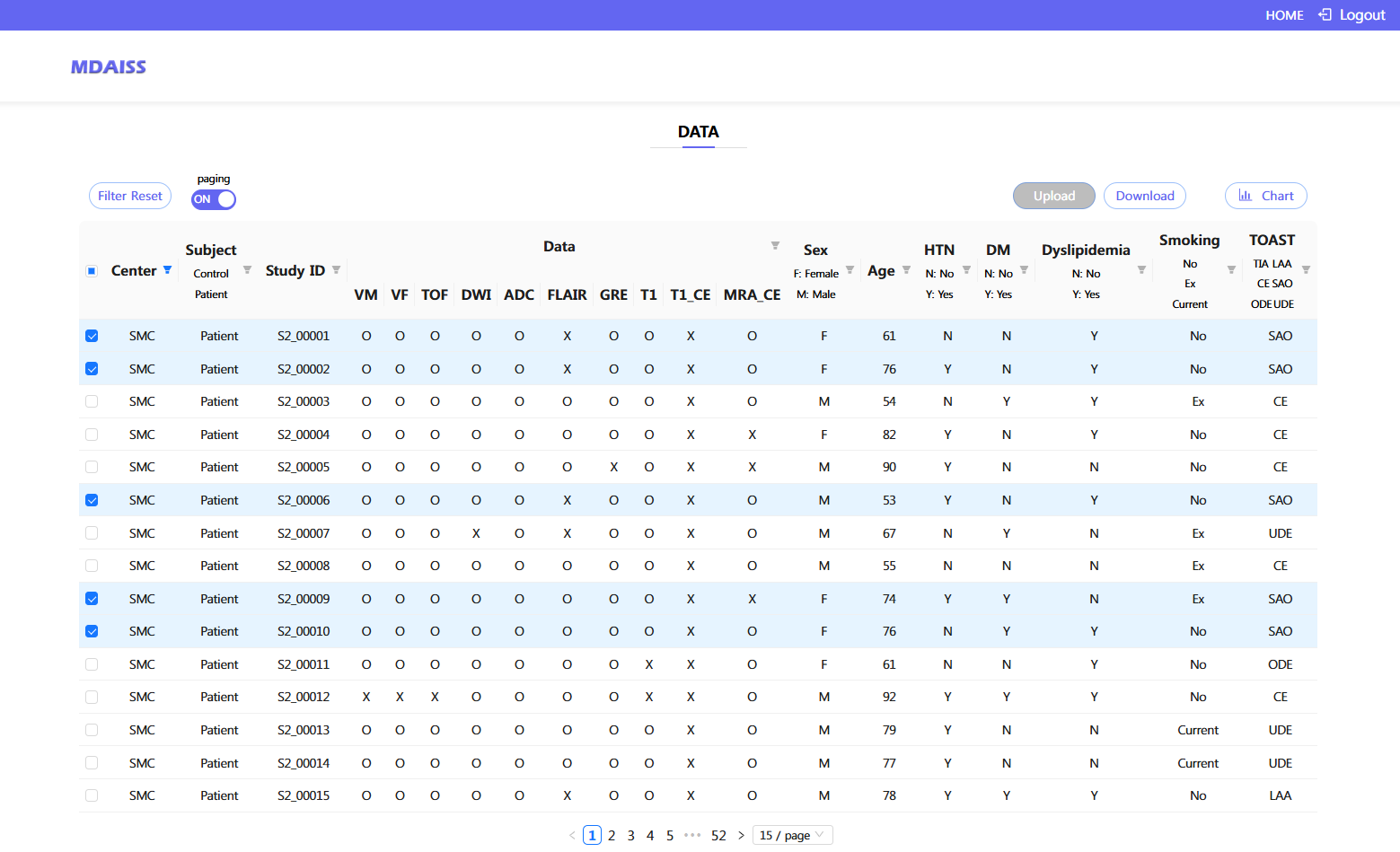
1. Database Summary
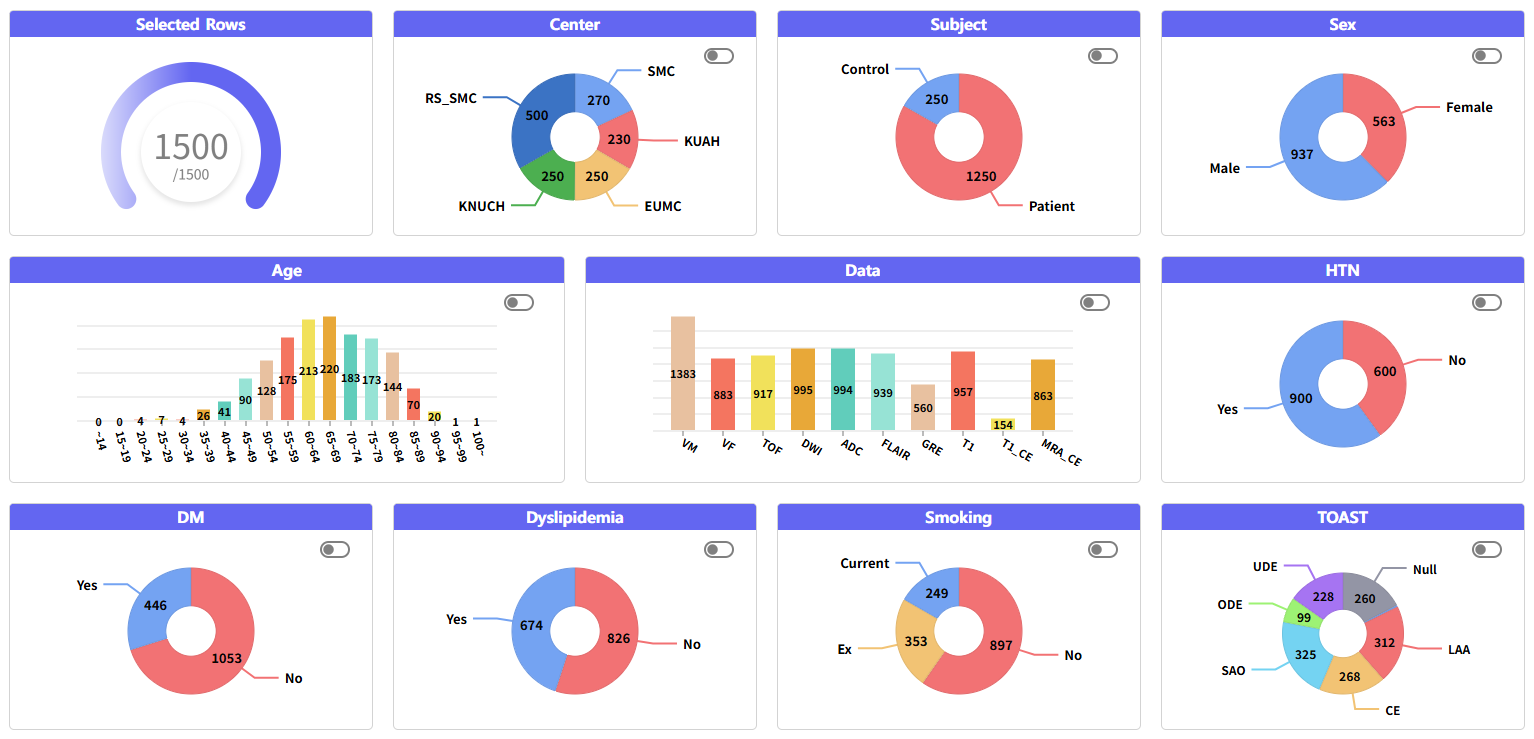
2. Data utilization
1) Data Select Filtering
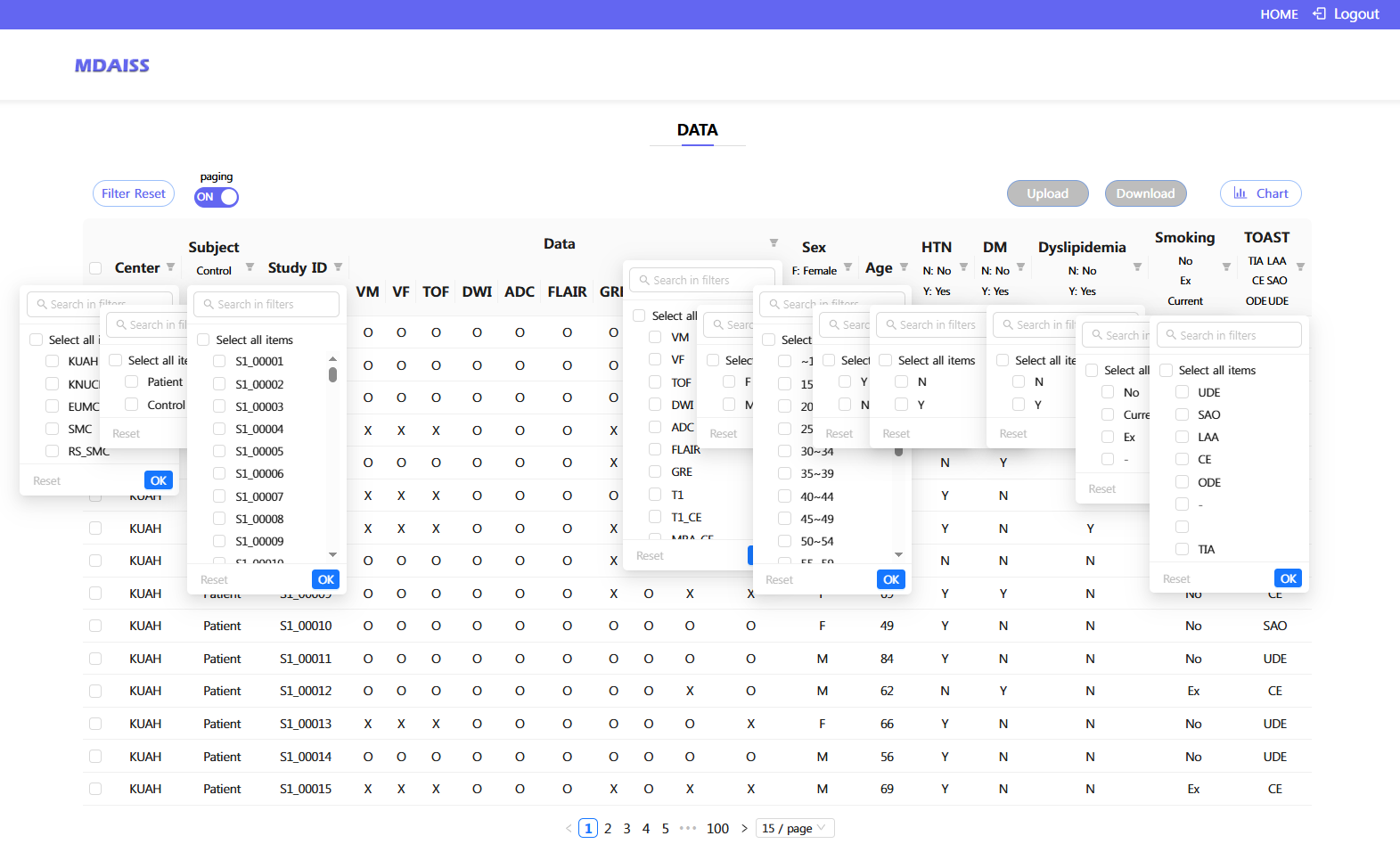
2) Paging Function
(1) Paging On: Content is divided into pages, making it easier to view by page.
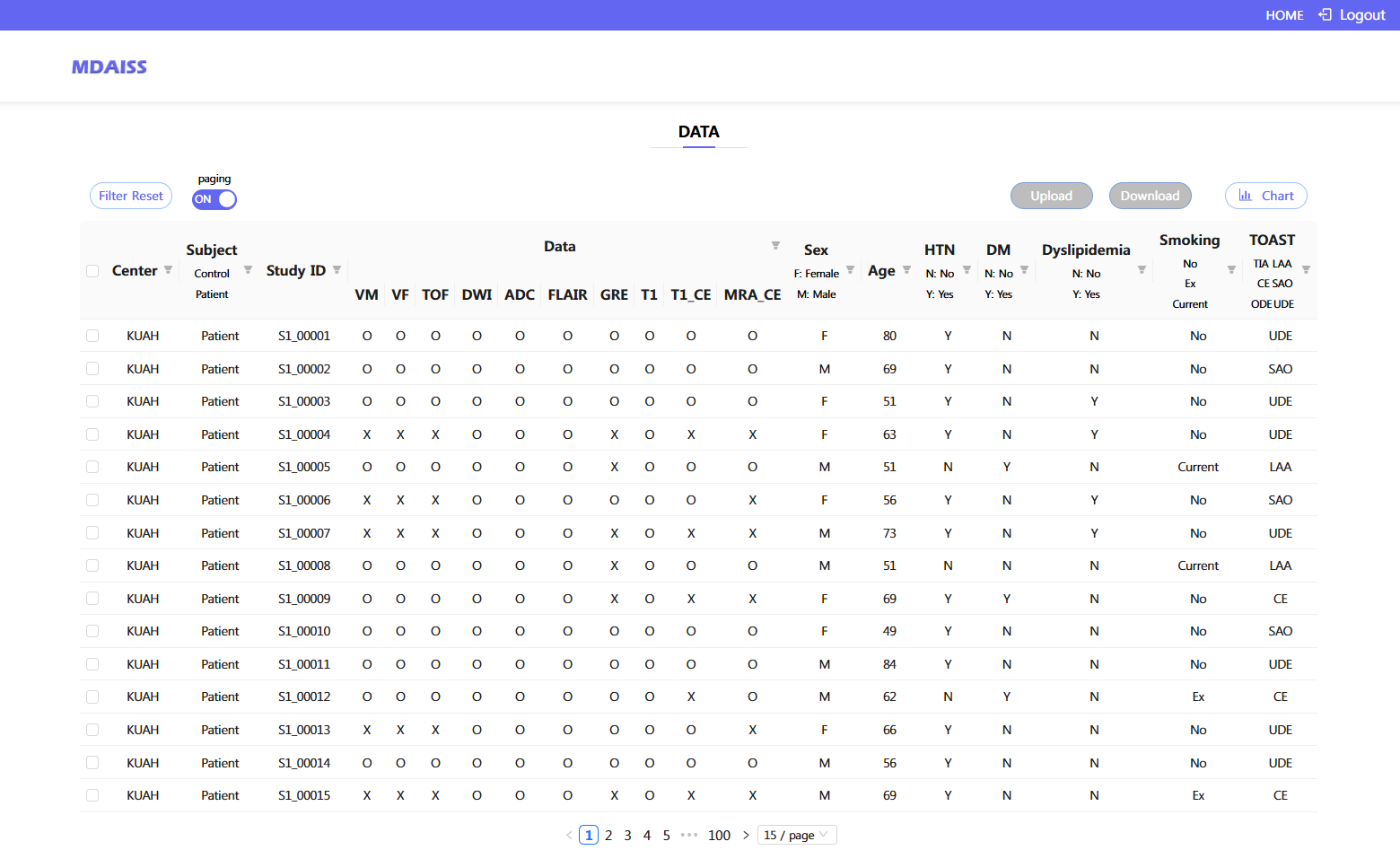
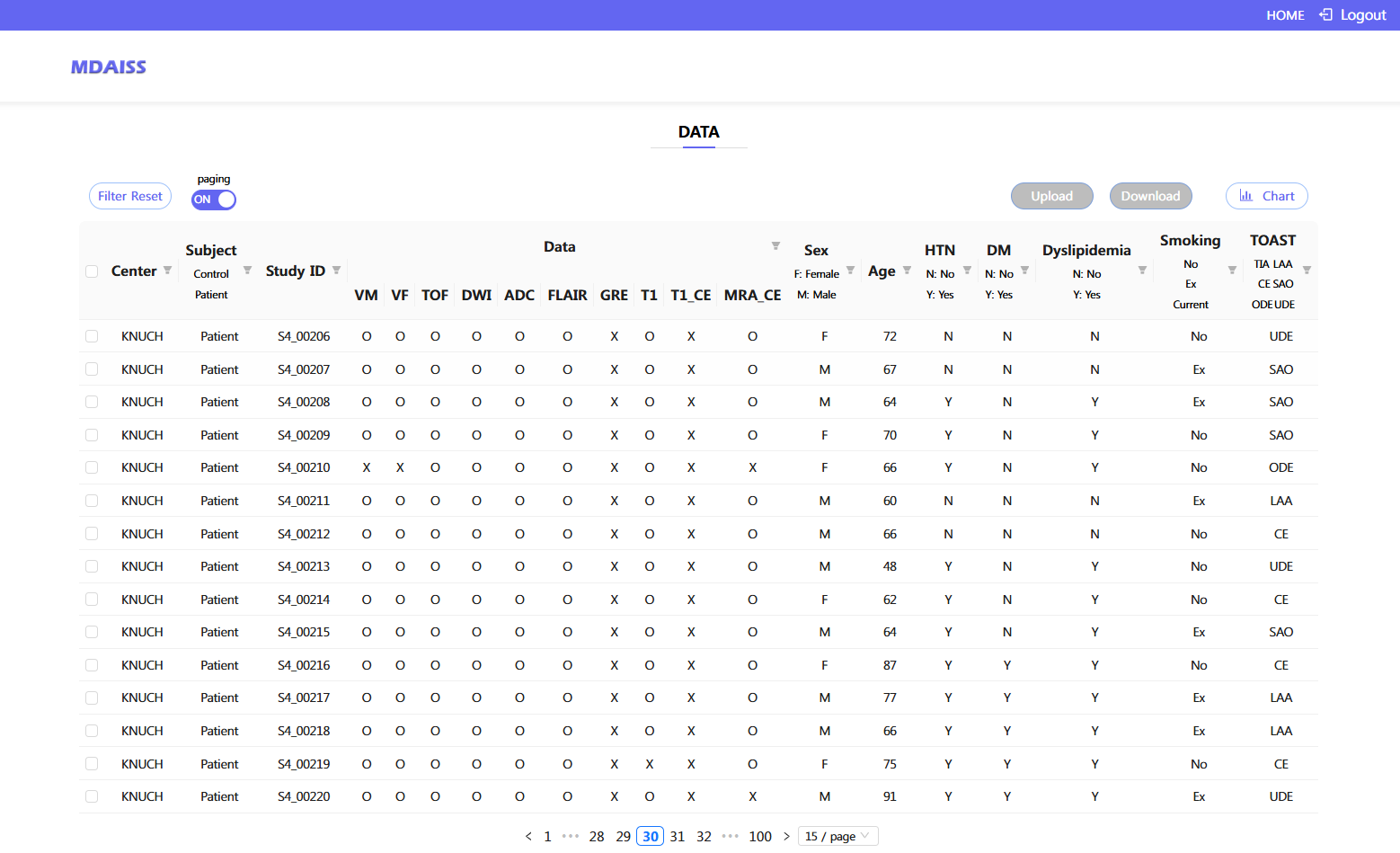
(2) Paging Disabled: All data shown on one page with scroll bar.
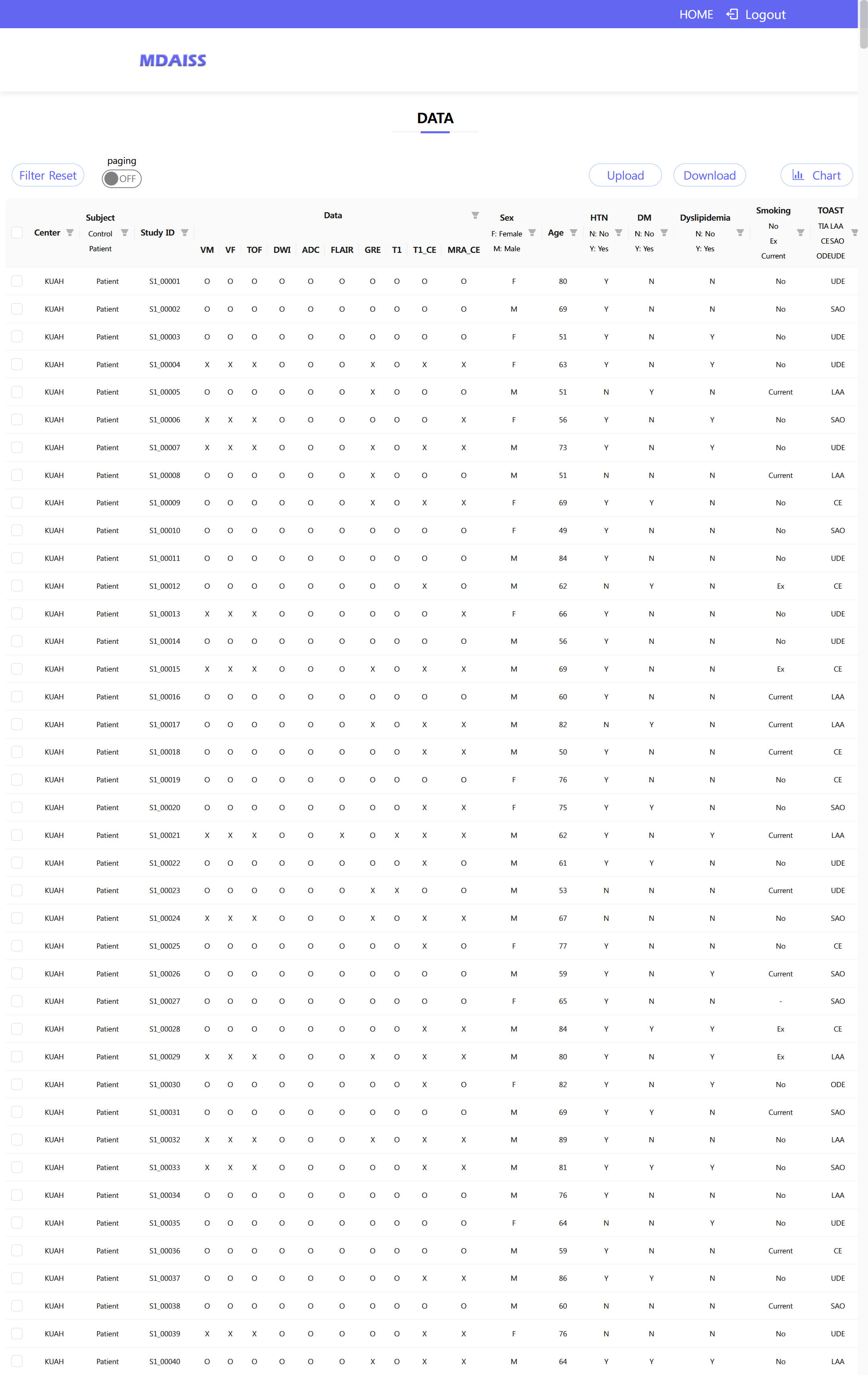
3) Chart Generation for Uploaded Data
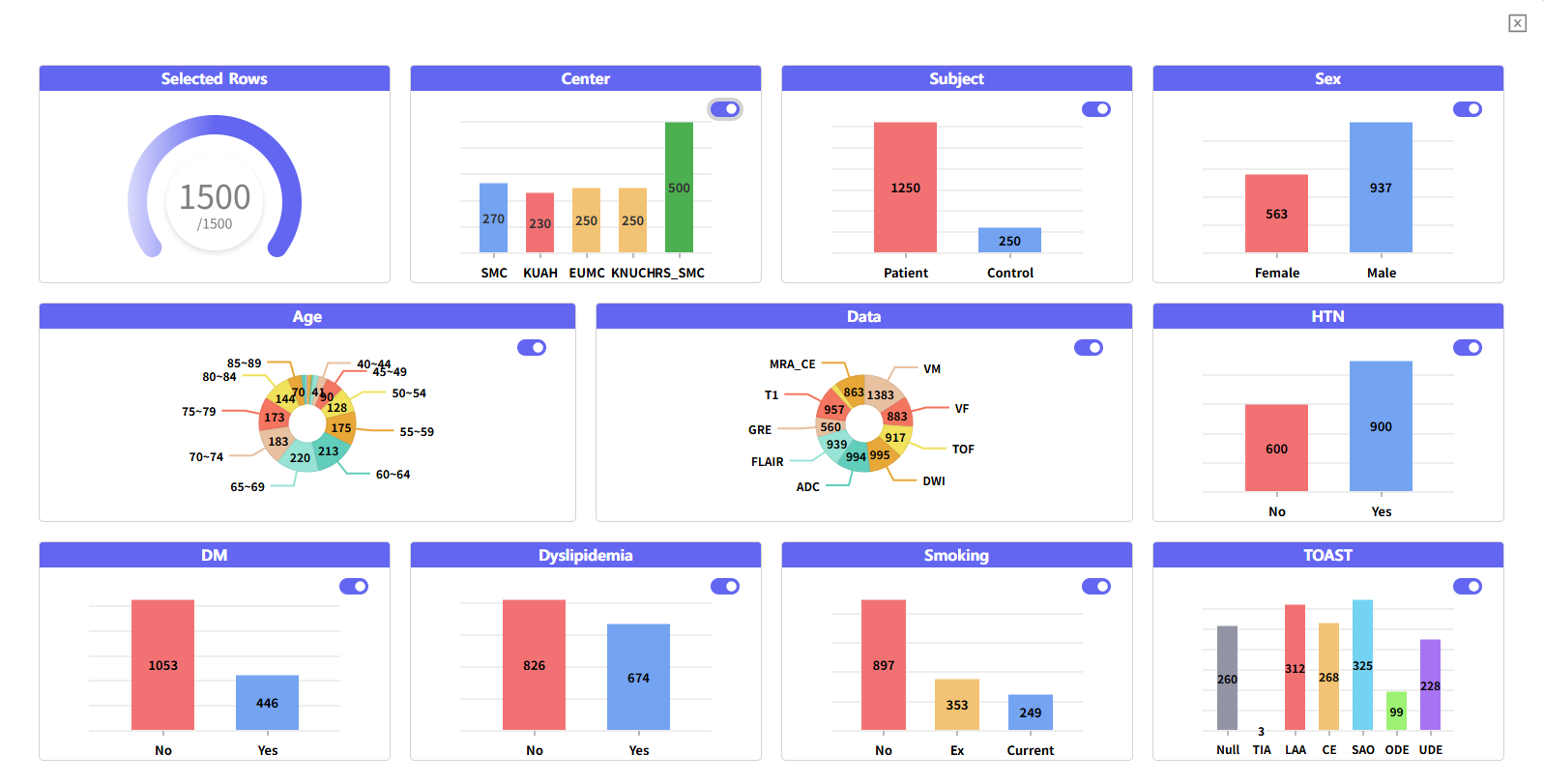
(1) Default Chart: Automatically generates a basic chart for all or selected data.
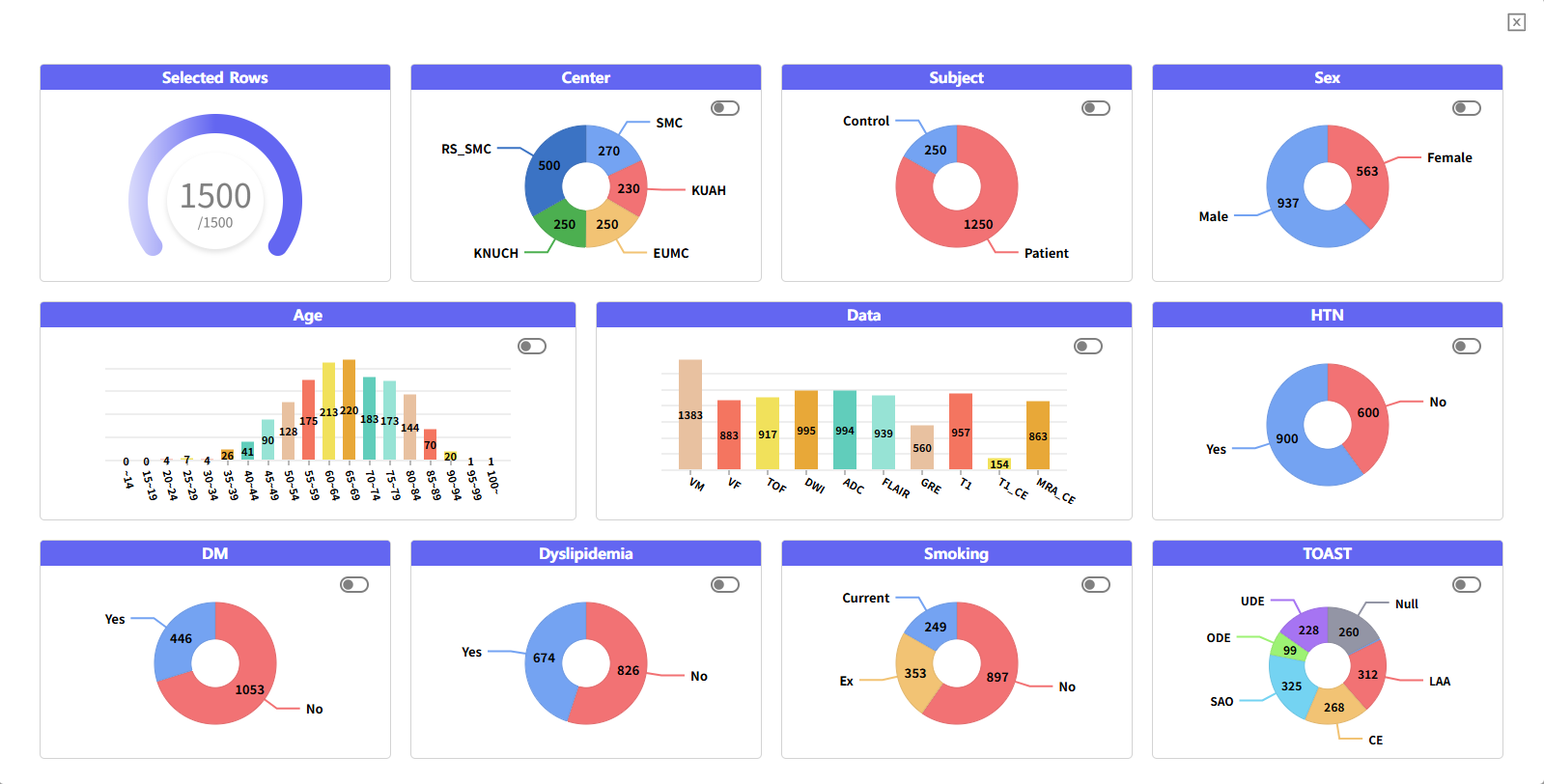
(2) Change Chart Type (Bar and Pie)
4) Download
(1) The data to be downloaded is selected using the checkboxes on the left.
(2) To select all data, switch to Paging Off, then click the Center button on the left to select the entire dataset.
(3) Click the Download button at the top right to proceed with the download.
(4) An Excel file containing the clinical information of each subject will also be generated and saved during the download.